
Nigen TMS Time Attedance Management Software How To Delete Transaction Data
Cara Padam Transaksi Masa Kehadiran
In this pages we are going to show step by step to purge (Delete) the transaction log data in Nigen TMS time attendance software.
Disini kita akan tunjukkan langkah untuk padamkan data transaksi masa dalam perisian Nigen TMS.
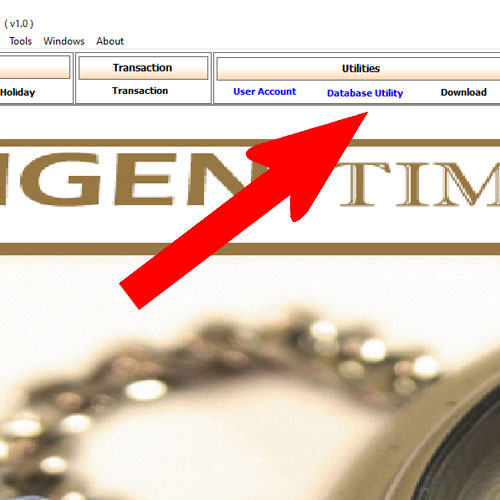
Step 01 : Go to Database utility
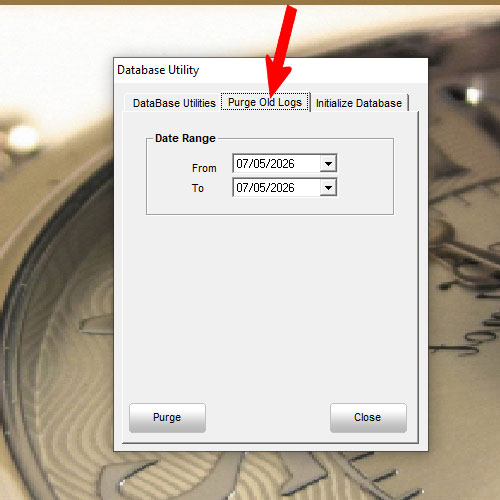
Step 02: Select purge old data
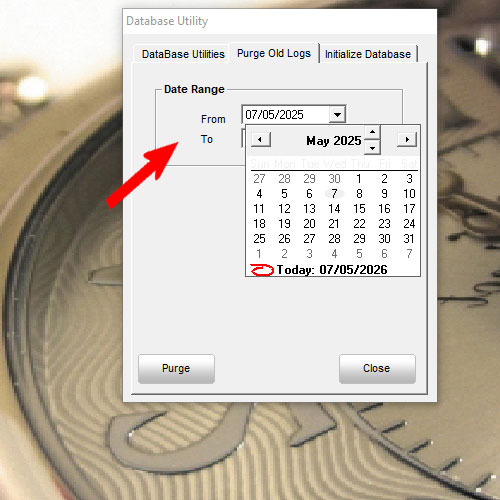
Step 03: Select Date range
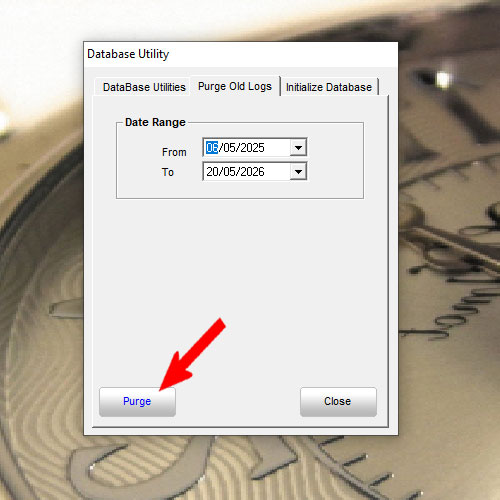
Step 04: Click Purge
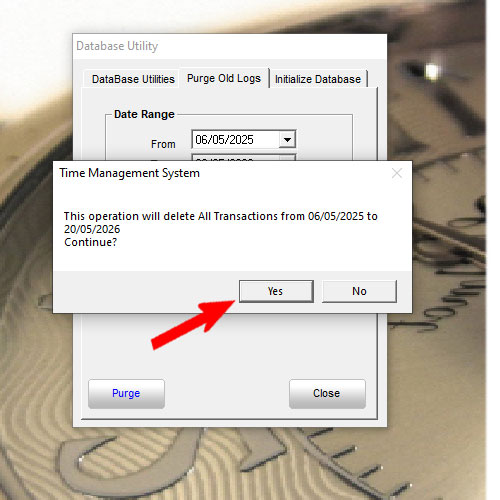
Step 05: Click Yes To Purge
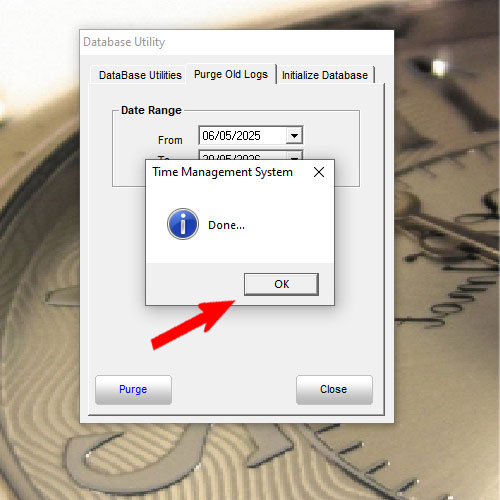
Step 06:Done Complete
Here The Purge Data Video For References (Youtube):
Nigen TMS tutotial By Equest Attendance Marketing
Email: sales@equest2u.com.my
We have provide support and training for NIGEN TMS of course got charge apply.
Thanks


