Posted on

How To Generate Guard Clocking Patrol Report Cara Print Laporan TIMI TG-1 | ITBOX Gowo 4

How To Generate Guard Patrol Clocking Report

Cara Print Laporan Rondaan Pengawak Sekuriti 

Below is the step by step photo to generate patrolling report. Applicable for Timi TG-1 and ITBOX Gowo 4 Reader Only

Berikut adalah langkah untuk dapatkan laporan masa rondaan.

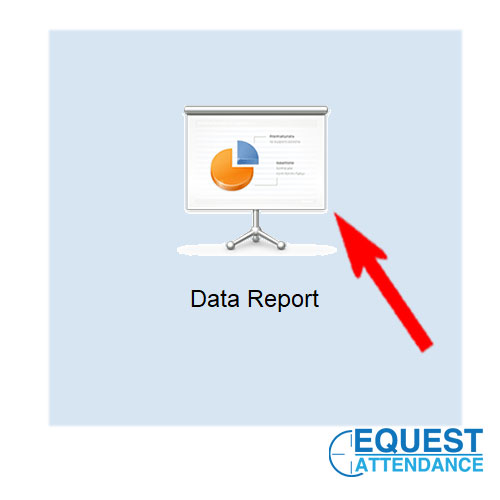
Step 01: Click data report

data report – Guard patrol Software

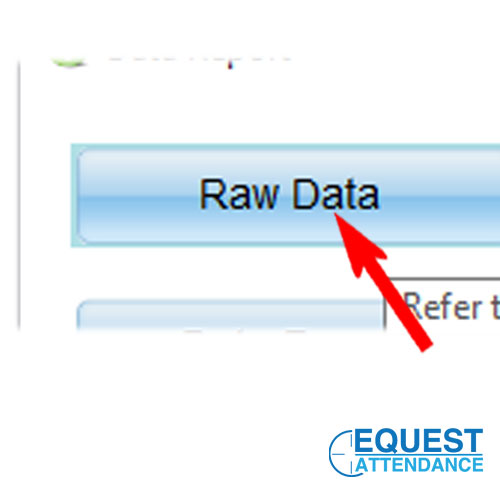
Step 02: Click Raw Data

Raw Data – Guard patrol Software

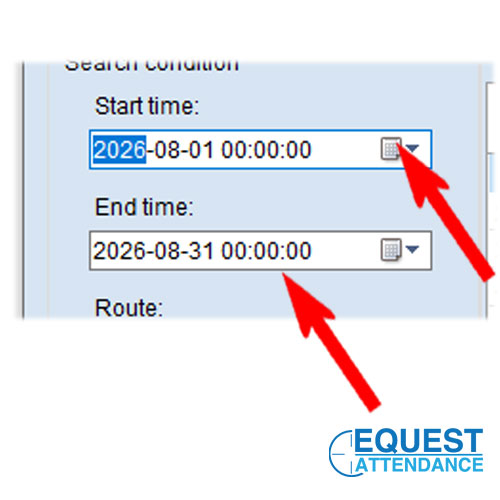
Step 03: Select day and month ( maximum 1 month cycle only)

Date Range – Guard patrol Software

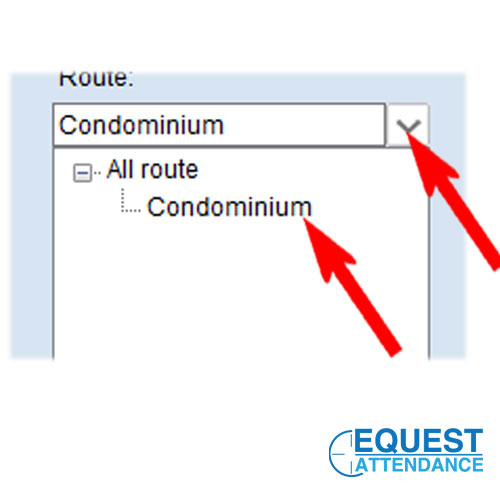
Step 04: Select Route

Route – Guard patrol Software

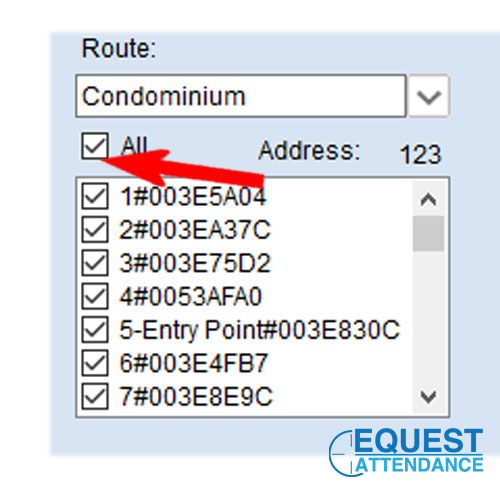
Step 05: Select Station Check Point

RFID Check Point – Guard patrol Software

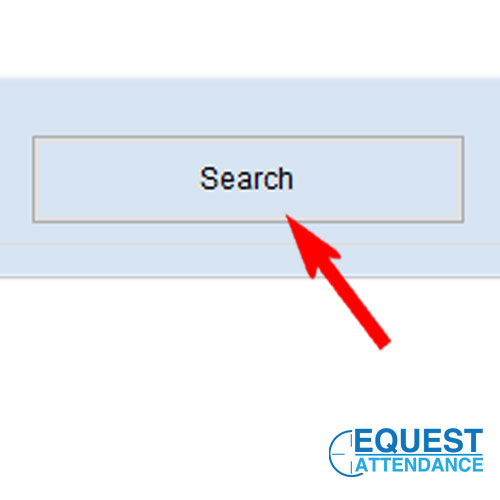
Step 06: Click Search

Search button – Guard patrol Software

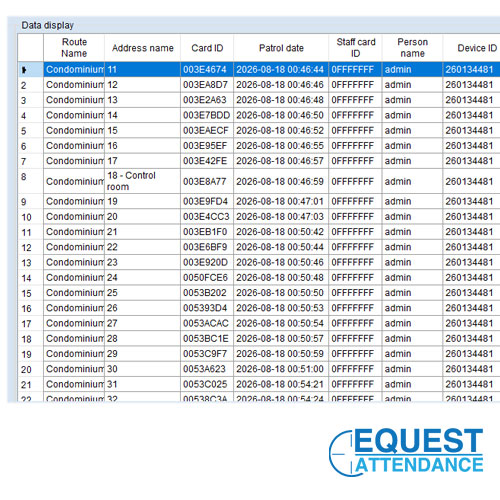
Step 07: Result Generate Complete

Complete data – Guard patrol Software

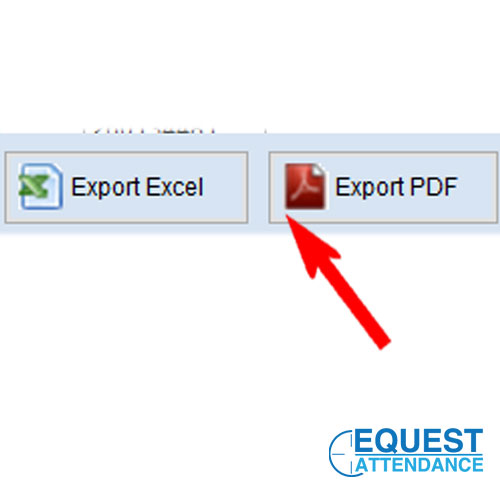
Step 08: Export Excel or PDF Report

Export report Excel or PDF – Guard patrol Software


Guard patrol Software Print Report Tutorial Video:


Click Here For Other Tutorial List


By Equest Attendance Marketing

Posted on

How to rename edit security clocking point name Timi TG-1 | ITBOX Gowo4 Cara Tukar Nama Station Point

How to rename setting Guard Clocking Point For Device TIMI TG-1 | GOWO 4 ITBOX Cara Tukar Nama Point Security

Only applicable For  Timi TG-1 and ITBOX Gowo4 Patrol reader

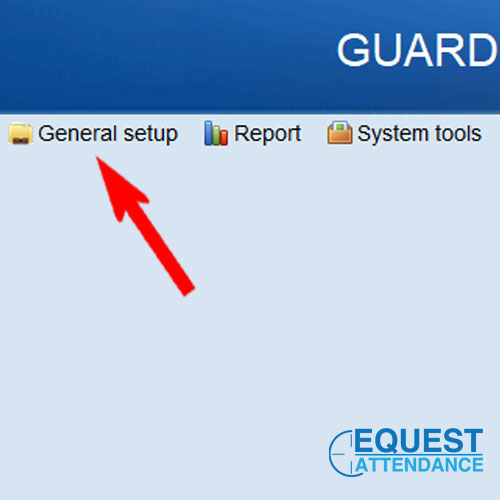
Step 1: General Setup

General Setup – Patrol System Security Guard

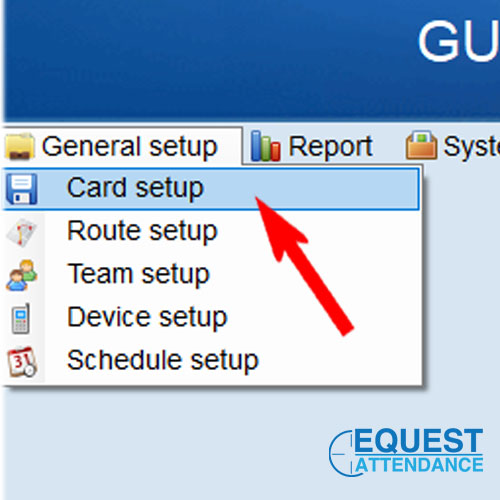
Step 2: Card Setup

Select Card Setup

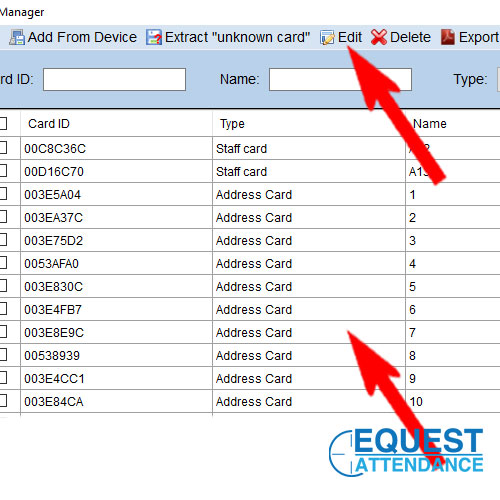
Step 3: Find the address card RFID station name and Select and Edit | Cari Poin yang nak tukar nama

Click Station Point And Edit

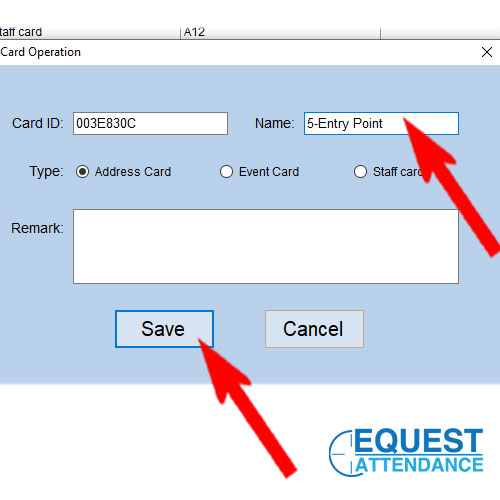
Step 4 : Update the name and save

Update patrol point name and save

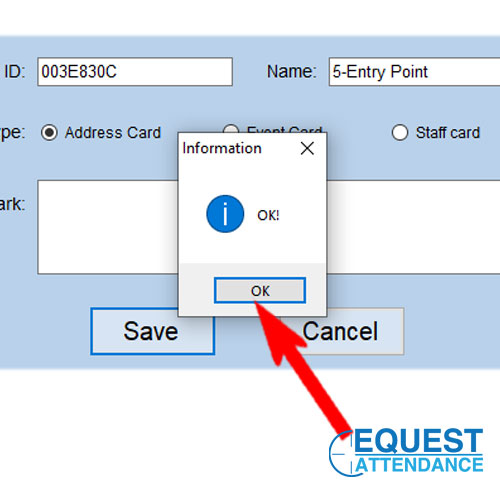
Step 5: Done Complete | Selesai

Complete click OK


Complete Video Tutorial As Below:


By Equest Attendance Marketing


Other Tutorial List Please click here

Posted on

Cara Pasang Kabel Cat6 Ke RJ45 How To Crimp network cable Cat6

Cara Pasang Kabel Cat6 Ke RJ45 | How To Crimp network cable Cat6 Into RJ45

Sebelum tonton video kita ada beberapa gambar untuk rujukkan

Before wataching our video we have few photo as reference

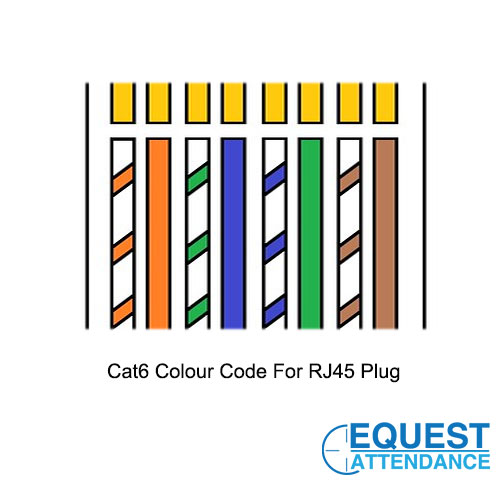
Colour Code For Cat6 Network Cable | Warna untuk kabel cat6
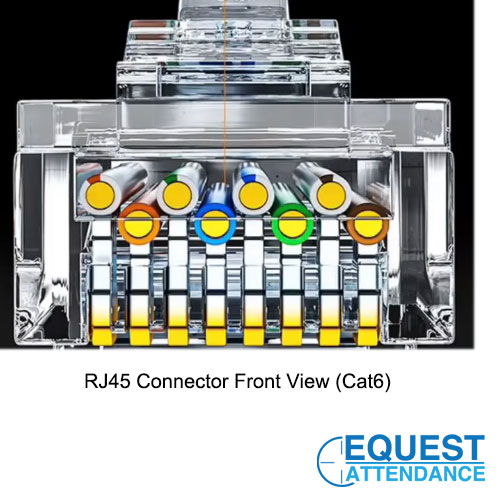
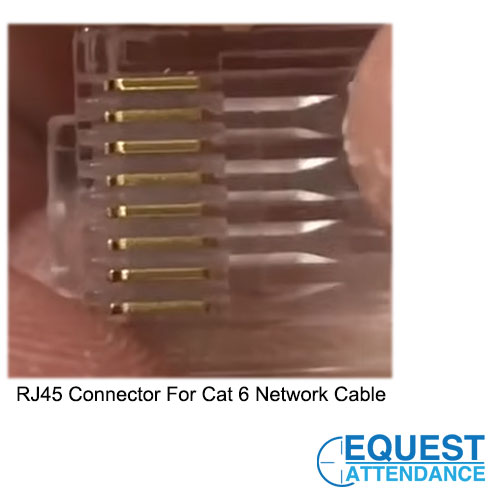
Front View RJ45 Connector (Cat6) | Bahagian Depan RJ45 (Cat6)
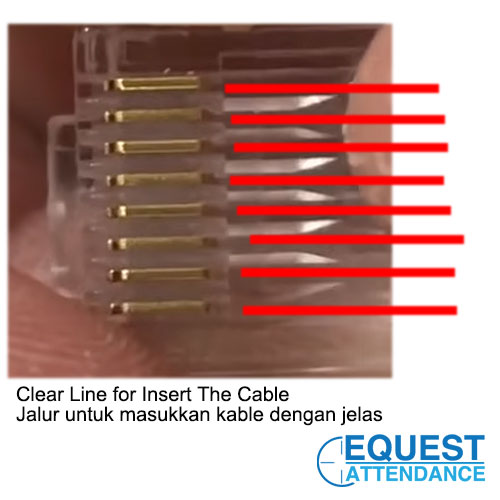
Clear Guide For Insert Cable Into RJ45 | Layer jelas untuk masuk ke dalam RJ45
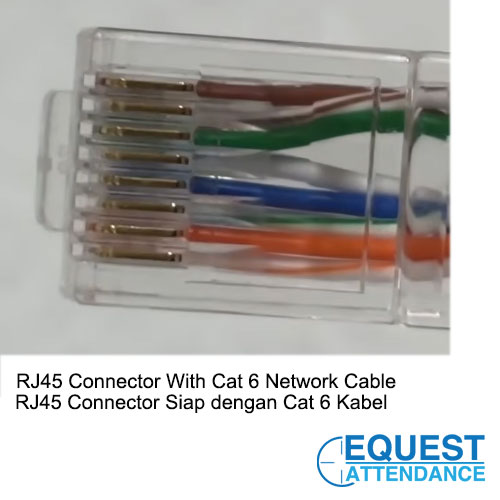
RJ45 With Cat6 Cable | Cat6 Kabel dalam RJ45
RJ45 Connector


Video Pasang kabel cat 6 | Video to crimp cat6 network cable into RJ45.


Posted on

Nigen TMS Time Attedance Management Software How To Delete Transaction Data | Cara Padam Transaksi Masa Kehadiran

Nigen TMS Time Attedance Management Software How To Delete Transaction Data

Cara Padam Transaksi Masa Kehadiran

In this pages we are going to show step by step to purge (Delete) the transaction log data in Nigen TMS time attendance software.

Disini kita akan tunjukkan langkah untuk padamkan data transaksi masa dalam perisian Nigen TMS.


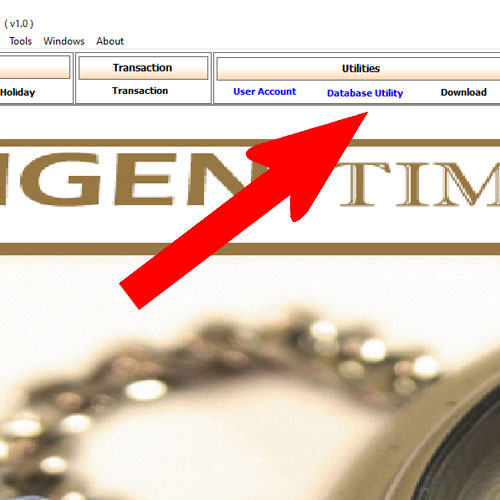
Step 01 : Go to Database utility

Step 1: click database utility

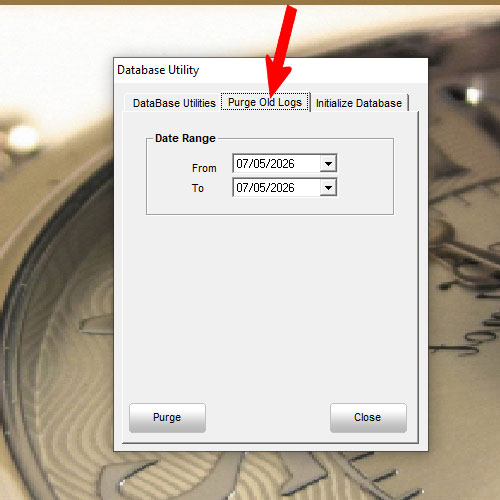
Step 02: Select purge old data

Step 02 purge old data

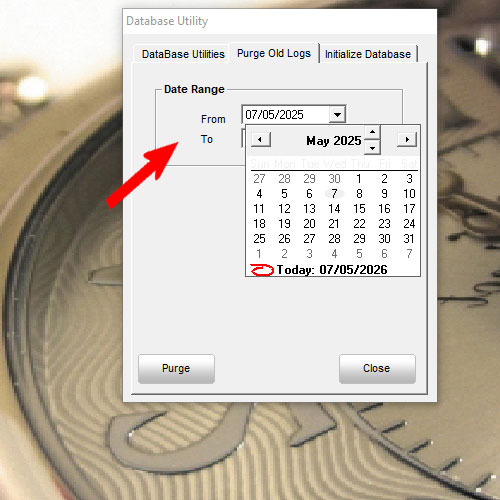
Step 03: Select Date range

Step 03 Select date Range


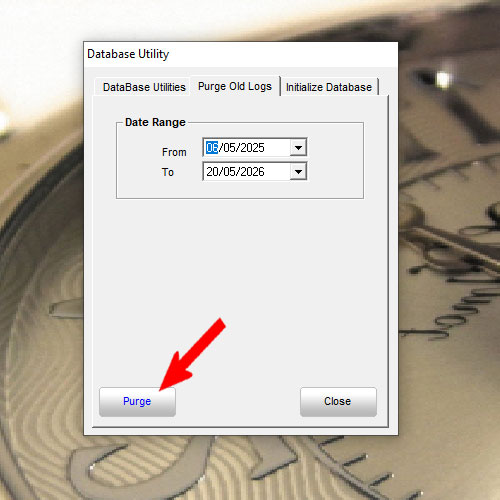
Step 04: Click Purge

Step .4: click purge

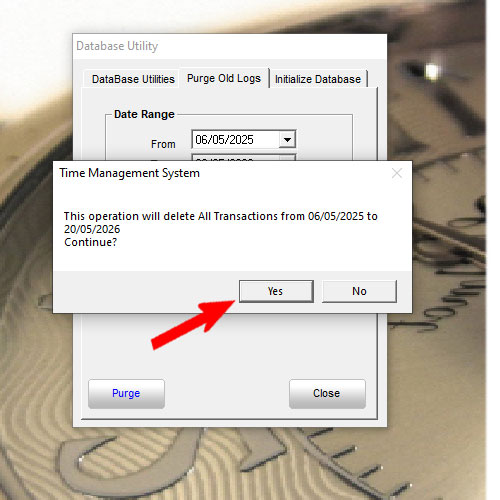
Step 05: Click Yes To Purge

Step 05: Click yes to purge

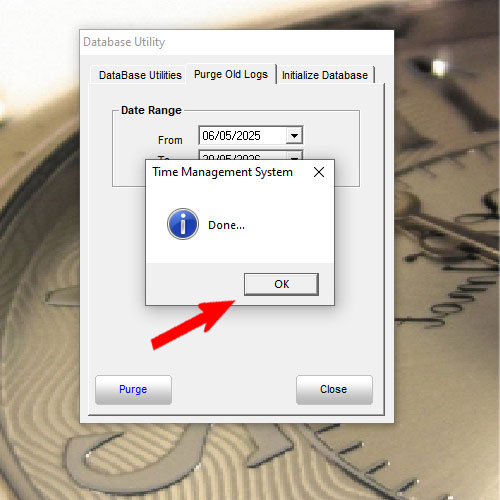
Step 06:Done Complete

Step 06: Done complete purge data (Delete)


Here The Purge Data Video For References (Youtube):


Nigen TMS tutotial By Equest Attendance Marketing

Email: sales@equest2u.com.my

We have provide support and training for NIGEN TMS of course got charge apply.

Thanks

Posted on

Free Cloud And Remote Download Attendance Boleh Muat Turun Kedatangan Secara Online Face Fingerprint Device

Free Cloud And Remote Download Attendance

Boleh Muat Turun Kedatangan Secara Online Face Fingerprint Device Attendance

Now We have the free cloud time attendance record which can connect remotely and easily monitor staff time attendance record. As long as with wifi or LAN network cable connection and best thing is no have annual payment. If interested please contact us for more info and pricing.

Sekarang kita mempunyai face attendance device yang boleh muat turun kedatangan staff yang tanpa bayaran tahunan. Hanya beli device sahaja. Jika Berminat oleh memghubungi kita.

Whatsapp: 016-3563996

Or email: sales@equest2u.com.my

Or 016-3563996 (Mr Tan)

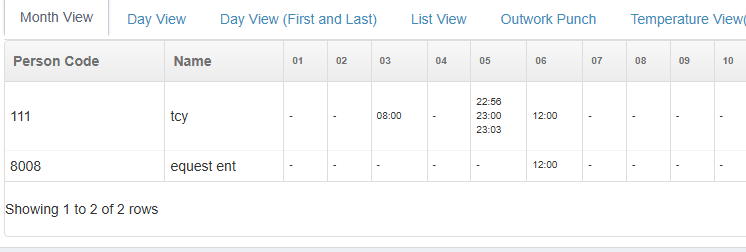
Sample Report Image:

With Daily Staff Photo Record | Sekali record gambar user semasa punch untuk setiap hari

Time Attendance With Face Photo Record


First In Last Out Record

First In Last Out Record


Punch Record Every Month | Kedatanagan Setiap Bulan

Time Attendance Punch record

All Record can be view online easy for HR to track the staff attendance no need install apps just need web browser such as SAFARI, Google chrome, Edge, Firefox. Anytime anywhere.

Semua data kedatanagan dapat view dari online, tak payah visit site, tak payah guna pendrive. Senang untuk jabatan sumber manusia untuk monitor kedatangan setiap staff.


By Equest Attendance Marketing

Attendance  Time Record Made Easy Tracking


Posted on

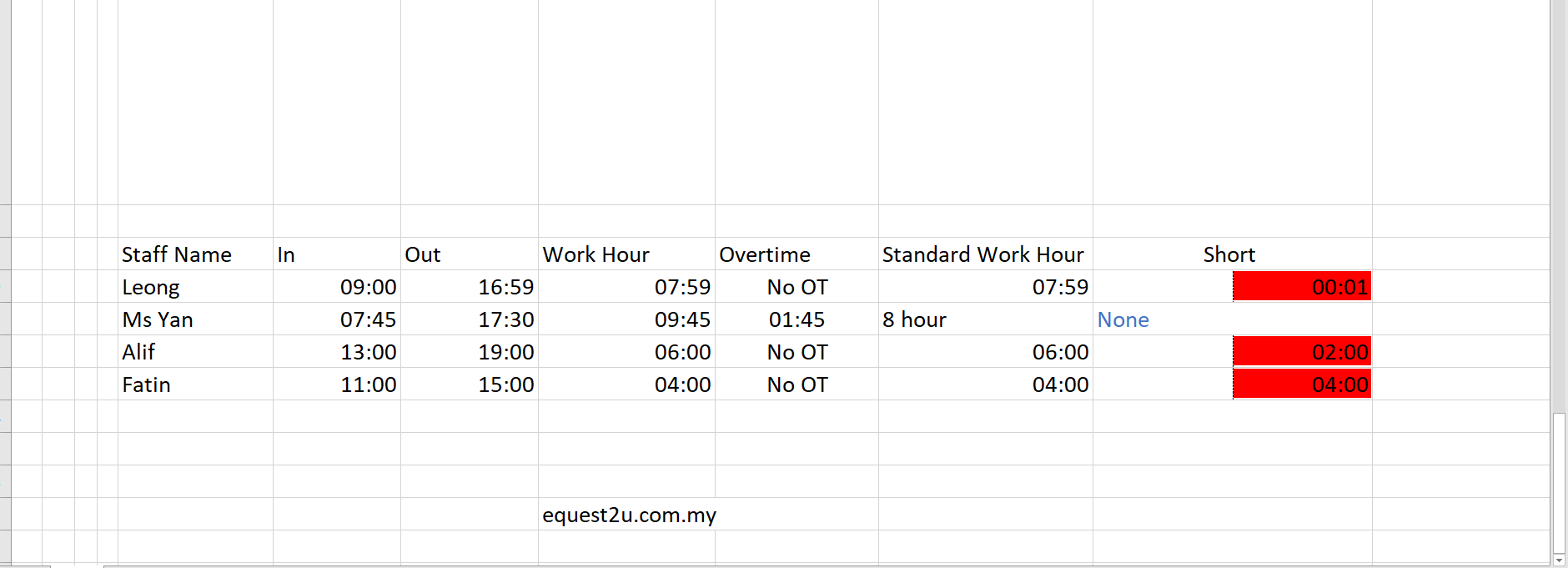
Cara Kira Masa Overtime (OT) Di Excel | Excel Tutorial For Time Attendance In Out Work Hour Overtime Short

Excel Tutorial For Time Attendance In Out Work Hour Overtime Short

Video For The tutorial | Video Di bawah untuk cara gunakkan excel buat kiraan Overtime dan short


Sample Excel Overtime Calculation

Formula For Reference | Formula Yang Ada Dalam Video:

*=IF(I50>8/24,I50-8/24,”No OT”)

*=IF(H52-G52>8/24,”8 hour”,H52-G52)

*=IF(H53-G53<8/24,8/24-(H53-G53),”None”)


Ini Excel Untuk HR yang gunakan excel buat kiraan waktu kerja staff

For HR (Human Resource) to use excel to do manual working hour calculation


Posted on

Fingertec TA500 Problem Device Hang How To Solve | Masalah Mesin Macam Jam cara Selesai | Fingerprint Attendance

Fingertec TA500 Device Hang Solution | Cara Penyelesaian Mesin Thumbprint  Fingertec Jam Tak Dapat Off

If You facing Fingertec Device hang unable press any button and no response, unable shut down. Please Just Remove The Internal backup battery To Force Turn Off The Device.

Jika Anda Berhadapi masalah Fingertec Ta500 Jam Tekan apa-apa button pun tak dapat off cara penyelesaian   adalah keluarkan backup bateri dalam device.


Way To Solve | Cara penyelesaian


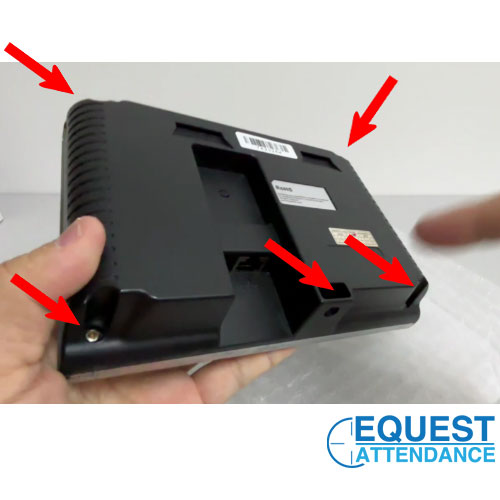
Step 01: Unscrew The Back Cover (5 screw) | Keluarkan Skru Cover Belakang (5 skru)

Fingertec TA500 Back Cover

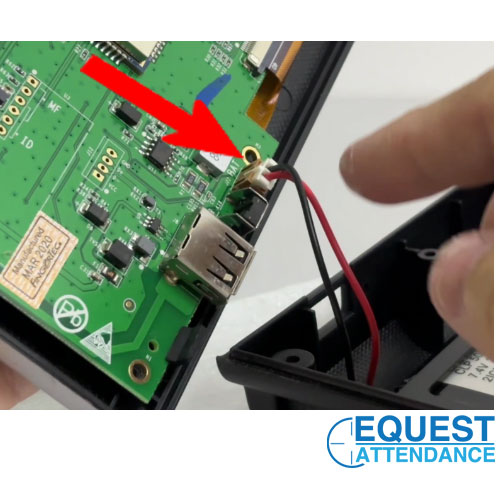
Step 02: Unplug the battery Cable from mainboard | Cabut keluar kabel bateri dari mainboard

Fingertec TA500 Battery Cable Connect to mainboard

Step 03: Plug in back the battery cable | pasang balik kabel bateri

Step 04: Screw back the back cover | Skru balik cover belakang

Step 05: Completed | Siap!


Full video for battery cable unplug:


Our Youtube Channel: Equest Attendance Marketing

Product : TA500 Fingertec


Posted on

How to Delete DA3000 Door Access Pin | Cara Untuk Padam Pin Buka Pintu Akses

How to Delete Old Password Pin For Door Access DA3000 Key | Cara Untuk Padam Pin Lama Keypad Akses Model DA3000

Way To Delete:

Only Step. Just reset Factory default Follow code below:

# Programing Password # 8 (wait) 99 #

Default programming Password was 123456

Please watch the video below for more details.


Cara Untuk Padam Pin:

Satu step sahaja, Hany Reset Factory Default sila ikut code seperti dibawah:

# Programing Password # 8 (wait) 99 #

Default programming Password adalah 123456

Sila tonton video di bawah untuk lebih lanjut.


Video delete pin:


By Equest Attendance Marketing

Posted on

How To Replace UV light for money detector Model 318 | Cara Tukar Lampu UV

Step To Replace 318 UV Light Bulb | Langkah untuk Tukar Lampu UV Untuk Model 318 (Video)

Tool needed: Only a Screw Drive remember ready the new UV light Bulb For Model 318 (T5-4W)

Peralatan yang diperlukan hanya pemutar skru dan juga lampu UV yang Baru

Please watch the full playback for the tutorial.

Sila tonton sampai habis baru start tukar lampu UV.


Thanks.

Terima Kasih.


By Equest Attendance Marketing – Tutorial to replace money detector light bulb

This device to scan to verify the money banknote.

Mesin ini untuk memastikan wang palsu atau original.


Posted on

How To Apply Leave Application | Nigen Cloud TMS Webbase Attendance Tutorial | Cara Apply Cuti

NIGEN TMS Cloud Webbase Time Attendance System How To Apply Leave Application

Nigen TMS Cloud Webbase was the time attendance system from machine connect and store at clould. Below was the step by step video for this tutorial.

Important Note: Make sure the leave type already register in the leave setting and assign the leave type for staff.

Video Tutorial:

Penting: Pastikan jenis cuti sudah daftar dalam leave application setting and juga tambah kepada staff.


For More video tutorial can visit our youtube channel equest2u