Posted on

How To Generate Guard Clocking Patrol Report Cara Print Laporan TIMI TG-1 | ITBOX Gowo 4

How To Generate Guard Patrol Clocking Report

Cara Print Laporan Rondaan Pengawak Sekuriti 

Below is the step by step photo to generate patrolling report. Applicable for Timi TG-1 and ITBOX Gowo 4 Reader Only

Berikut adalah langkah untuk dapatkan laporan masa rondaan.

Step 01: Click data report
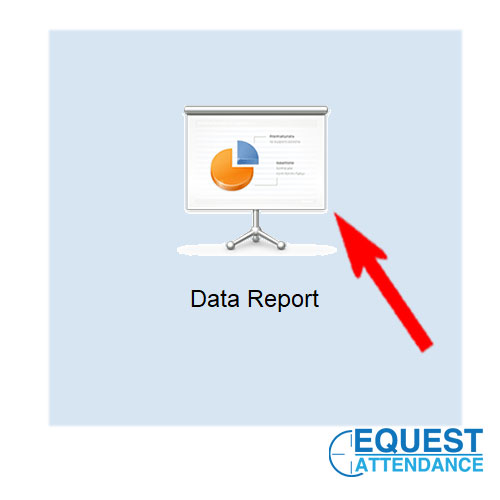
data report – Guard patrol Software

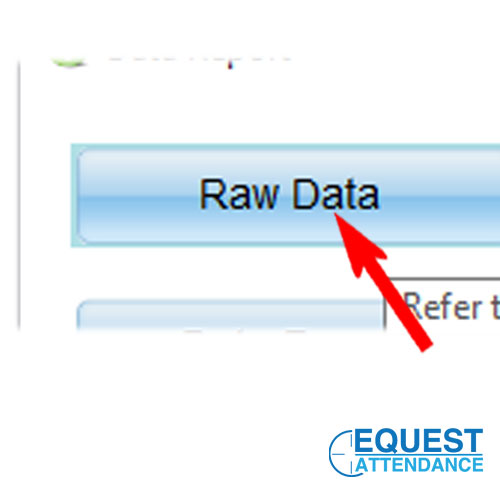
Step 02: Click Raw Data

Raw Data – Guard patrol Software

Step 03: Select day and month ( maximum 1 month cycle only)
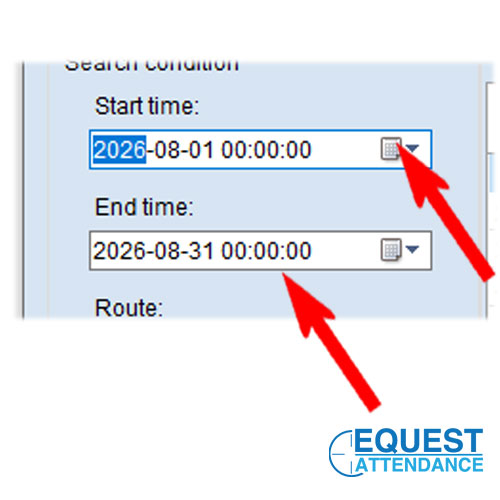
Date Range – Guard patrol Software

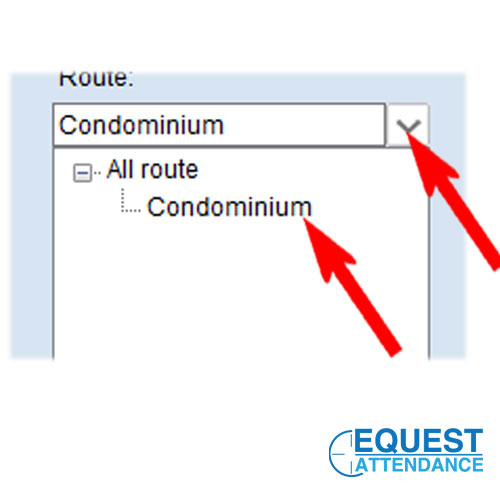
Step 04: Select Route

Route – Guard patrol Software

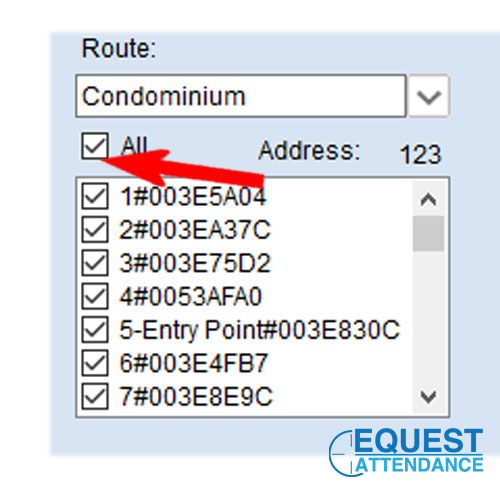
Step 05: Select Station Check Point

RFID Check Point – Guard patrol Software

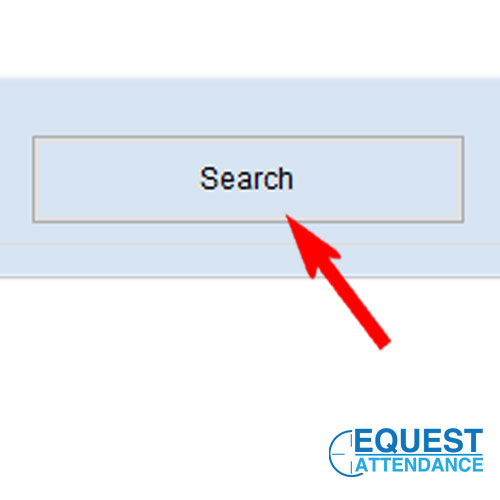
Step 06: Click Search

Search button – Guard patrol Software

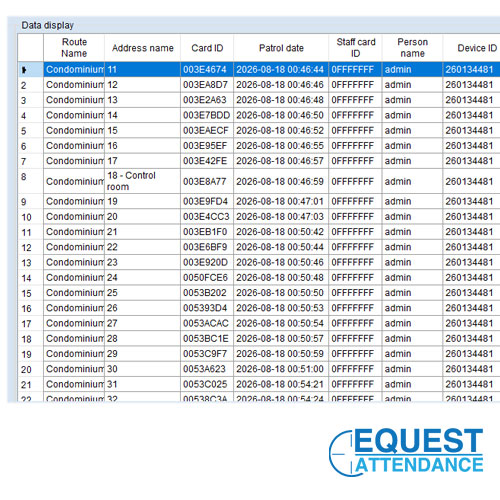
Step 07: Result Generate Complete

Complete data – Guard patrol Software

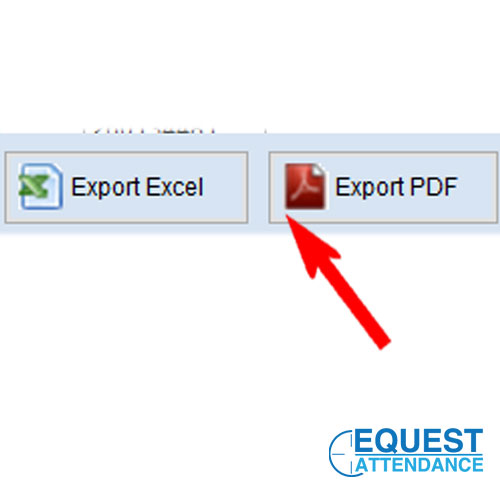
Step 08: Export Excel or PDF Report

Export report Excel or PDF – Guard patrol Software


Guard patrol Software Print Report Tutorial Video:


Click Here For Other Tutorial List


By Equest Attendance Marketing
Posted on

How to rename edit security clocking point name Timi TG-1 | ITBOX Gowo4 Cara Tukar Nama Station Point

How to rename setting Guard Clocking Point For Device TIMI TG-1 | GOWO 4 ITBOX Cara Tukar Nama Point Security

Only applicable For  Timi TG-1 and ITBOX Gowo4 Patrol reader

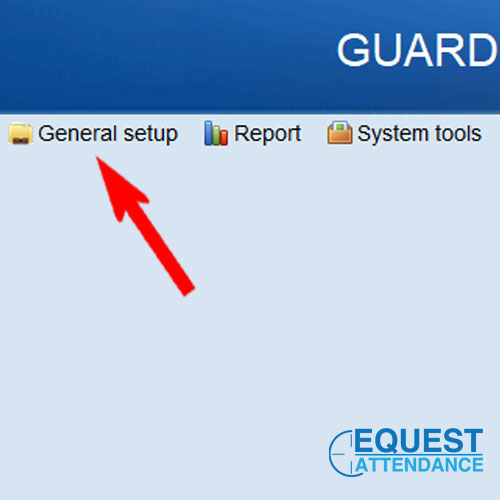
Step 1: General Setup

General Setup – Patrol System Security Guard

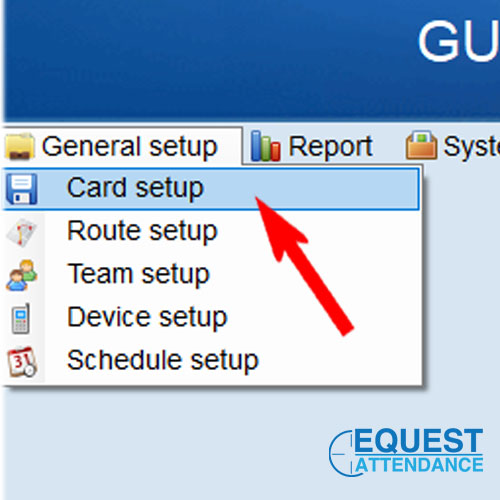
Step 2: Card Setup

Select Card Setup

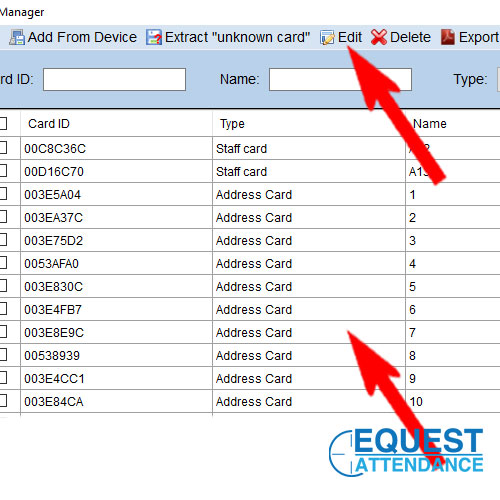
Step 3: Find the address card RFID station name and Select and Edit | Cari Poin yang nak tukar nama

Click Station Point And Edit

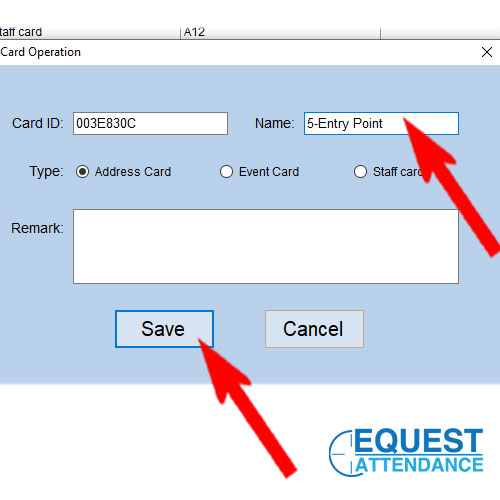
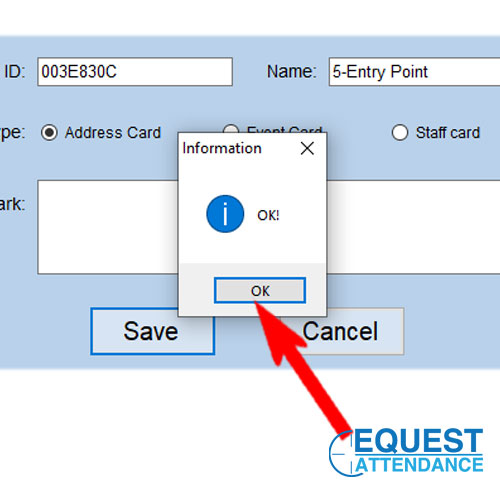
Step 4 : Update the name and save

Update patrol point name and save

Step 5: Done Complete | Selesai

Complete click OK


Complete Video Tutorial As Below:


By Equest Attendance Marketing


Other Tutorial List Please click here

Posted on

ITBOX ifacetec Face Recognition Time Attendance System How to Add User And Department | Cara Tambah Staff dan Jabatan

ITBOX ifacetec Face and Fingerprint Attendance Setting How to Add User and Department

Cara Tambah Staff dan Jabatan

Below Was the tutorial viceo for ITBOX ifacetec Device


Video 01: How to Add User Face and Fingerprint | Cara Tambah Muka Staff dan Cap Jari


iFaceTec Device

Video 02: How to Add Deparment | Cara tambah Jabatan


Fingertec face ID 4


By Equest Attendance Marketing

Contact Us
Posted on

About Cheque Writer Machine Print All Payee Name, Date, Amount and Words Setting

Cheque Writer print All Machine (Payee name, Date, Amount and words) Tutorial Video For TIMI and ITBOX

Video Tentang Setting Mesin Cek Yang boleh cetak penuh nama and tulisan amaun

Video 1: Intro About Cheque Writer Machine Print All

Basic Intro


Cheque Software


Video 2 : How to Set Preset Name  (Maximum 60 name list)

Easy for repeat payee


Cheque Machine


Video 3: How to Update / Setting Time and Date

Always Update the date to prevent wrong year month and day


Safe Box Heavy Duty


Video 4: How to rename cheque title

Such as Malaysia Cheque, easy for selection


Germany paper Shredder


For More Info about the product you may email us at sales@equest2u.com.my or  Contact Us


Area serve: Klang, port klang, Subang USj, Kajang, Cheras, Puchong, Shah Alam, Petaling Jaya, Kota Kemuning, Rimbayu, Bandar Saujana Putra, Subang Baru, Shah Alam2, Puncak Alam, Rawang, Sungai Buloh, Bukit Beruntung, Pulau Indah, Westport, North Port, Kapar, Meru, Jeram, Nilai, Seremban, Beranang, Eco hill dan banyak lagi.